Comprehensive Data Loss Prevention
DataFence provides enterprise-grade DLP capabilities that protect your sensitive data across all web applications, cloud services, and communication channels.
Real-Time File Upload Monitoring
Our browser extension monitors every file upload attempt across any website or web application. Using advanced AI classification, we instantly identify sensitive data types including:
- Personal Identifiable Information (PII)
- Protected Health Information (PHI)
- Financial data and credit card information
- Intellectual property and source code
- Custom sensitive data patterns
Intelligent Policy Engine
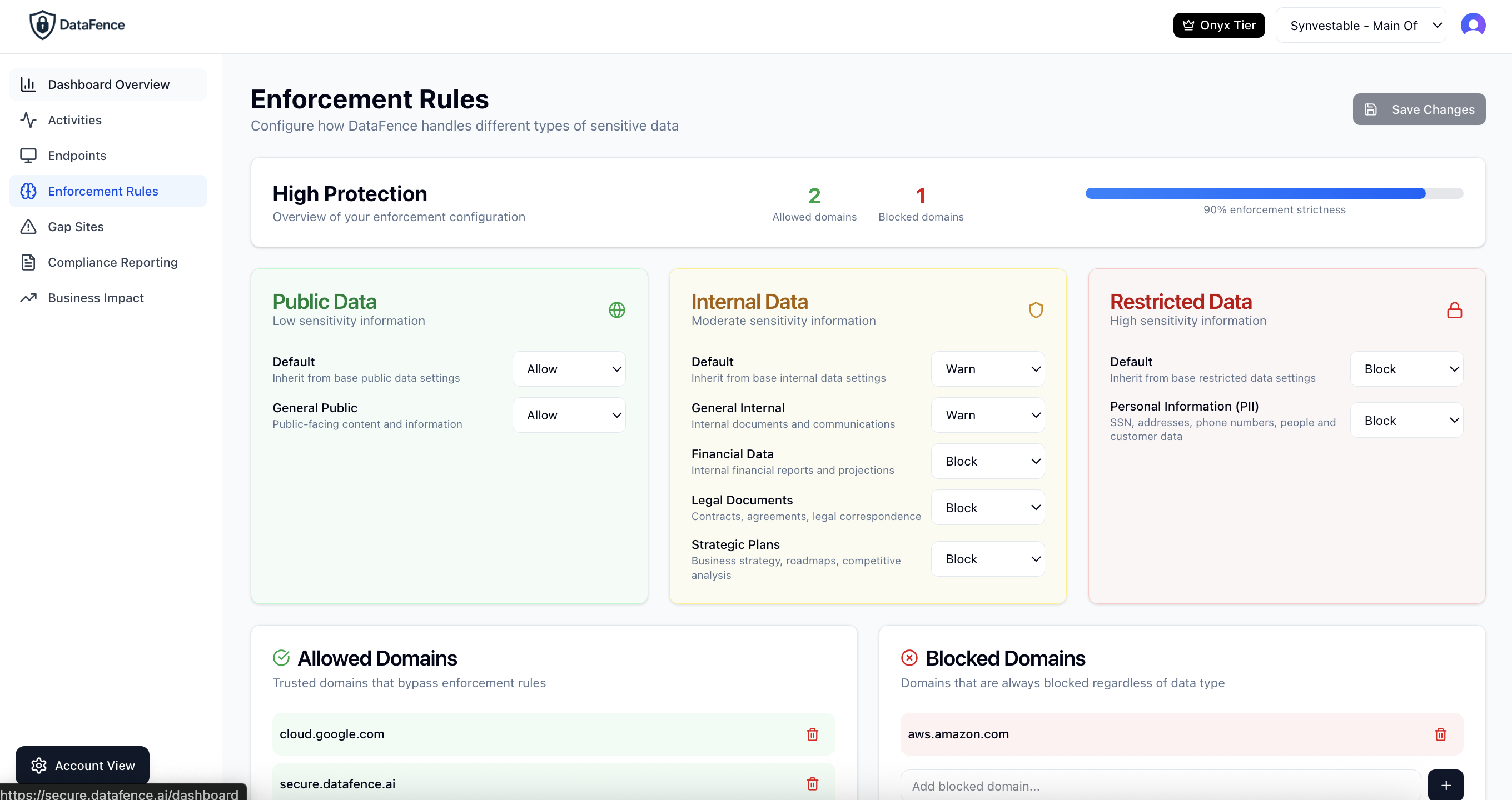
Create granular policies that match your organization's security requirements. Our policy engine allows you to:
- Block: Prevent uploads of highly sensitive data
- Warn: Alert users before uploading sensitive files
- Allow: Permit uploads to trusted domains
- Customize: Create rules by domain, user, or data type
Key DLP Features
Universal Coverage
Works on any website or web application without integration. Protect data uploads to social media, cloud storage, email, and more.
AI-Powered Detection
Advanced machine learning models identify sensitive data patterns with high accuracy while minimizing false positives.
Detailed Analytics
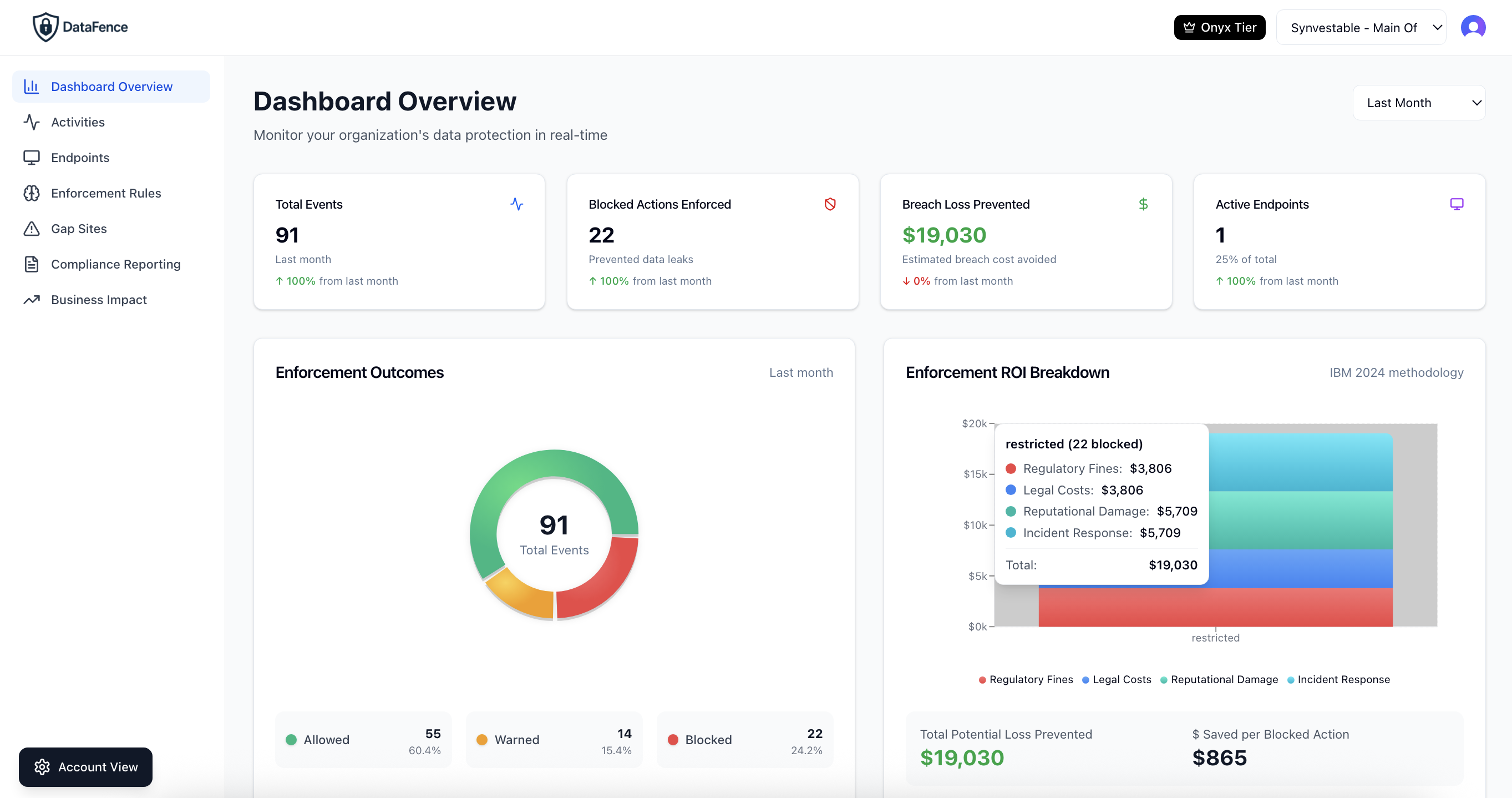
Comprehensive dashboards show enforcement actions, user behavior, and ROI metrics to demonstrate security value.
Frequently Asked Questions About Data Leakage Protection
What is data leakage protection and how does it differ from data loss prevention?
Data leakage protection (DLP) and data loss prevention are often used interchangeably, but data leakage protection specifically focuses on preventing unauthorized transmission of sensitive data outside your organization. DataFence provides comprehensive data leakage protection by monitoring all file uploads, form submissions, and data transfers across web applications, blocking sensitive information from leaving your network through browser-based channels.
How does cloud data loss prevention work with DataFence?
DataFence provides cloud data loss prevention by installing a lightweight browser extension that monitors all web-based activity in real-time. Our AI-powered classification engine analyzes files and data before they're uploaded to any cloud service (Google Drive, Dropbox, OneDrive, etc.), applying your security policies to block, warn, or allow the transfer based on data sensitivity. This works across any cloud application without requiring API integrations or network proxies.
What types of sensitive data can AI DLP detect?
DataFence's AI DLP engine can detect Personal Identifiable Information (PII) including social security numbers, addresses, and phone numbers; Protected Health Information (PHI) such as medical records and patient data; financial data including credit cards and bank accounts; intellectual property like source code and trade secrets; and custom data patterns specific to your organization. Our machine learning models achieve over 95% accuracy while minimizing false positives.
Does data leakage protection slow down employee productivity?
No. DataFence's data leakage protection works instantly in the browser with zero latency. Employees only see notifications when attempting to upload truly sensitive data to unauthorized locations. For approved cloud services and non-sensitive data, there's no interruption to workflow. Most organizations report increased productivity because employees can confidently use cloud tools knowing they're protected.
How much does data loss prevention cost?
DataFence data loss prevention starts at $5 per user per month for the Professional plan, which includes real-time file upload monitoring, AI classification, policy enforcement, and gap reports. Enterprise plans with advanced features like audit logs, multi-organization support, and API access are available for larger deployments. All plans include unlimited policies and full customer support.
Can data leakage protection work with BYOD and personal devices?
Yes. DataFence's browser-based data leakage protection works on any device (Windows, Mac, Linux, Chromebook) without requiring device management or VPN connections. Employees install the browser extension with their unique client ID, and protection follows them across all their devices. This makes DataFence ideal for remote work, BYOD policies, and contractor access.
What is endpoint data protection and how does it relate to DLP?
Endpoint data protection secures data at the device level, which is where most data breaches begin. DataFence provides endpoint data protection by deploying directly in the browser on each endpoint, monitoring data in transit before it leaves the device. Unlike network-based DLP that can be bypassed with personal hotspots or VPNs, endpoint data protection ensures coverage regardless of network connection, making it essential for modern remote workforces.
How quickly can we deploy data loss prevention across our organization?
DataFence data loss prevention can be fully deployed in under 1 hour. The process involves: (1) Creating your organization account, (2) Configuring your initial enforcement policies, (3) Generating client IDs for your users, and (4) Users installing the browser extension. There's no network infrastructure to configure, no agents to deploy, and no firewall rules to modify. Most organizations start seeing protection value within the first day.
Ready to Protect Your Data?
Join thousands of organizations using DataFence to prevent data breaches